Just wondering if there is a wheel prop made (for the scenes where the monkey is running around on a wheel).
...Or a trike to extract the wheel from?
Thanks!
03 April, 2011

DROP BOX
I just uploaded all the character builds, and layouts that are on the hard drive onto DropBox. I think all the files are CS5 files. I don't know if that makes a difference to anyone, but just a quick reminder just in case. Some layouts are still missing, but do what you can. Missing layouts include (in order of scene number):
- 1a and b
- 11
- 21
- 24-52
- 56-62
- 64
- 67-70
- 73b
- 74
- 76-82
ASSIGNED BGs as listed on the hard drive:
Adam - scene 11, 44, 70
Adrian - 33, and 36
Alice - 76
Anna - 74, 77
Cat - 32, 34, 35, 36
Chewy - 45-49
Craig - 69
Dani - 21, 29, 31, 37, 38, 50, 51, 79
Jessie - 1b, 52
Joe - 25, 26, 27, 28, 30
Laura - 39 - 43
Mikki - 24, 82
Min - 1, 58, 59, 60, 61, 62, 64, 67, 68
Sonya - 78, 80, 81
If you have a scene without a background, these are the people responsible for them. Hunt Them Down!
I need to add you to DropBox before you can access the files. I sent an email out to the people who are on blogspot already, but if you haven't received an email about it email me at jasonslwong@hotmail.com and I will send you the invite immediately. As we need to have at least one of our scenes animated and the rest posed out, it is vital that you let me know whether or not you can access these files because I am not responsible for anybody losing 10% just because you couldn't get your stuff together.
Also if, for some reason, you still can't get the files they are located on the Mac Servers as backup files. You can log in at your convenience. Goto [Go>Connect To Server> type in the code 142.204.140.111, log in] and voila!
I have also uploaded the cut up leica onto DropBox. Find your name, and the mov files will be in there (if you don't have these files already). There will also be notes on some of them telling you what needs to be animated and whats just a pan etc, I think you know who you are though so it shouldn't be a problem. If there is a text file saying READ ME FIRST, id suggest reading it first though.
It is also thanks to Mikki that all of this is possible, she made everything so organized and convenient, hunting people down and doing whatever was necessary to get us to this point. So all the credit goes to her for all of this. So thank you Mikki! =)
I think thats everything...
OH and you don't have to install DropBox in order to access the files. Just create an account, log in, and you should be able to download the files I uploaded. The only thing is that I need to add you before you can see the files, so email me and ill add you (the email above).... GO! Go do it now! Ill wait....
.
.
.
.
.
.
.
.
.
.
.
.
.
.
Done? Good. I will add you ASAP
Thats it for me, let me know if you have any other questions. Ill be checking my email religiously. Happy animating.
- peace
- 1a and b
- 11
- 21
- 24-52
- 56-62
- 64
- 67-70
- 73b
- 74
- 76-82
ASSIGNED BGs as listed on the hard drive:
Adam - scene 11, 44, 70
Adrian - 33, and 36
Alice - 76
Anna - 74, 77
Cat - 32, 34, 35, 36
Chewy - 45-49
Craig - 69
Dani - 21, 29, 31, 37, 38, 50, 51, 79
Jessie - 1b, 52
Joe - 25, 26, 27, 28, 30
Laura - 39 - 43
Mikki - 24, 82
Min - 1, 58, 59, 60, 61, 62, 64, 67, 68
Sonya - 78, 80, 81
If you have a scene without a background, these are the people responsible for them. Hunt Them Down!
I need to add you to DropBox before you can access the files. I sent an email out to the people who are on blogspot already, but if you haven't received an email about it email me at jasonslwong@hotmail.com and I will send you the invite immediately. As we need to have at least one of our scenes animated and the rest posed out, it is vital that you let me know whether or not you can access these files because I am not responsible for anybody losing 10% just because you couldn't get your stuff together.
Also if, for some reason, you still can't get the files they are located on the Mac Servers as backup files. You can log in at your convenience. Goto [Go>Connect To Server> type in the code 142.204.140.111, log in] and voila!
I have also uploaded the cut up leica onto DropBox. Find your name, and the mov files will be in there (if you don't have these files already). There will also be notes on some of them telling you what needs to be animated and whats just a pan etc, I think you know who you are though so it shouldn't be a problem. If there is a text file saying READ ME FIRST, id suggest reading it first though.
It is also thanks to Mikki that all of this is possible, she made everything so organized and convenient, hunting people down and doing whatever was necessary to get us to this point. So all the credit goes to her for all of this. So thank you Mikki! =)
I think thats everything...
OH and you don't have to install DropBox in order to access the files. Just create an account, log in, and you should be able to download the files I uploaded. The only thing is that I need to add you before you can see the files, so email me and ill add you (the email above).... GO! Go do it now! Ill wait....
.
.
.
.
.
.
.
.
.
.
.
.
.
.
Done? Good. I will add you ASAP
Thats it for me, let me know if you have any other questions. Ill be checking my email religiously. Happy animating.
- peace

02 April, 2011
scene setup tutorial
what you need:
adobe flash
adobe media encoder
mpeg streamclip- download here for free http://www.squared5.com/
scene setup http://www.megaupload.com/?d=9P61IIZS
bg
character
leica
adobe flash
adobe media encoder
mpeg streamclip- download here for free http://www.squared5.com/
scene setup http://www.megaupload.com/?d=9P61IIZS
bg
character
leica
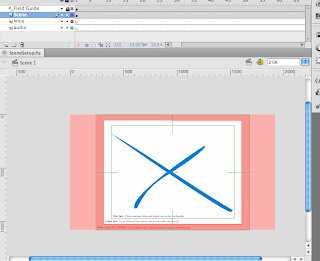
1) open scene setup

2) go to file-import-import to stage
select your leica mov
3) press embed flv in swf and play in timeline
then click Launch adobe media encoder
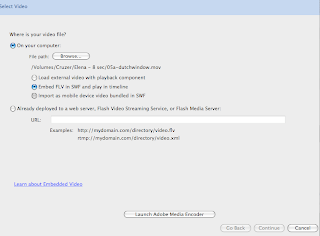
4) click add and then start queue
it will then convert it
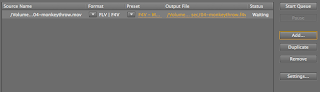
5) complete step 2 again (go to file-import-import to stage) but this time with your new flv file
select new flv file and click embed flv in swf and play in timeline once again
6) click continue-continue-finish
now you have the leica
7) resize it o fit the work area (you may have to skew it)
8)then you can copy frames of the leica
and double click on the scene to take you in
paste frames of leica on leica layer (also paste this in monkey build)
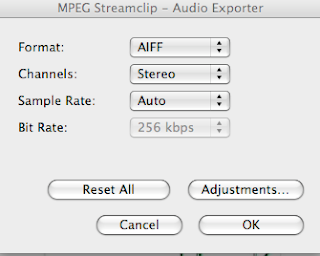
9) to get audio, open the leica file with mpeg stream clip
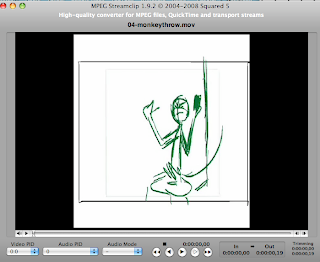
select your leica mov
3) press embed flv in swf and play in timeline
then click Launch adobe media encoder

4) click add and then start queue
it will then convert it

5) complete step 2 again (go to file-import-import to stage) but this time with your new flv file
select new flv file and click embed flv in swf and play in timeline once again
6) click continue-continue-finish
now you have the leica
7) resize it o fit the work area (you may have to skew it)
8)then you can copy frames of the leica
and double click on the scene to take you in
paste frames of leica on leica layer (also paste this in monkey build)
9) to get audio, open the leica file with mpeg stream clip

10) go to file-export audio
click ok and save
click ok and save

11) go back to flash and import sound
12) cut down scene to where the sound clip ends
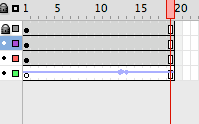
13) then import bg to stage
make sure you import all the layers needed
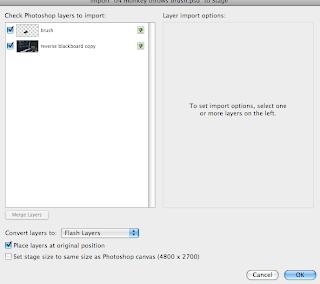
14)resize bg and props
15) convert any props or anything that needs to be animated to symbols
16) open the character build file and select the character. Then click copy frames and paste frames on the char1 layer in your scene setup
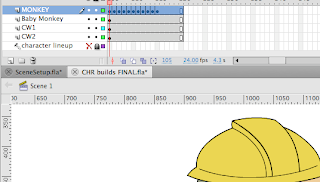
17) double click monkey to go inside build
18) select the position you need and alt+drag it to the second row of key frames at the beginning.
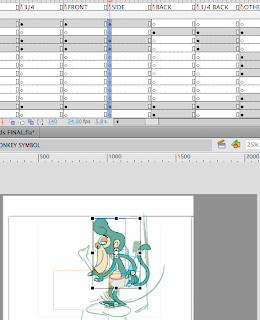
alt+drag the original the side
then shift drag the position you need to the beginning
19) make sure the looping is set to 1
20) now you can start animating!
12) cut down scene to where the sound clip ends

13) then import bg to stage
make sure you import all the layers needed

14)resize bg and props
15) convert any props or anything that needs to be animated to symbols
16) open the character build file and select the character. Then click copy frames and paste frames on the char1 layer in your scene setup

17) double click monkey to go inside build
18) select the position you need and alt+drag it to the second row of key frames at the beginning.

alt+drag the original the side
then shift drag the position you need to the beginning
19) make sure the looping is set to 1
20) now you can start animating!
I hope this helps! If you have any problems feel free to ask.
01 April, 2011
3 BGS, ATTN JOE


JOEEEEEEEEEEE - I need the clothing lines so I can finish the 1st monkey dress scene.
Animation weekend!
If people are interested in a group animating session at some point this weekend, so we can help each other and get everyone up to speed, let us know or just show up. We will get security to open the class room and bust this thing up! Adrian has said he will be at school both Saturday and Sunday and I plan to be there just on Sunday. If you need help let either one of us know a time and we will try our best get you going.
***REMINDER***
For next week you must have at LEAST 1 scene animated COMPLETE with BG ready for critique and minor fixes. All your other scenes should be set up and characters posed out! Failure to have this done will LOOSE YOU MARKS and will slow this movie down and we are already behind. So please get at least that done.

31 March, 2011

27 March, 2011
Finalised Layouts.... maybe....
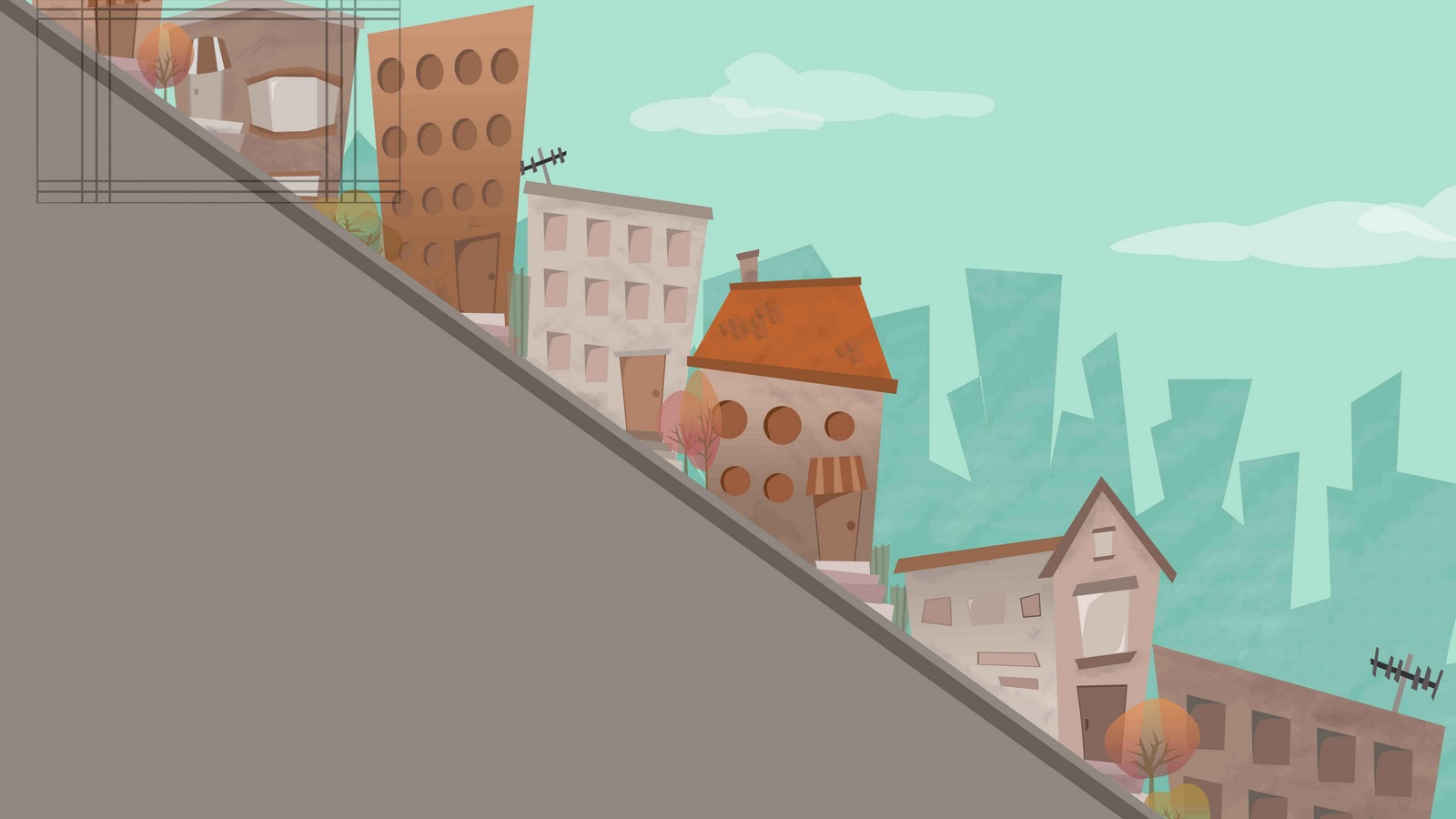
Scene 53 - now with windows and doors!

Scene 58 - I made longer anyway so the animator can decide how fast everything goes...

Scenes 63, 65, 66 - These shots go by FAST. You don't actually see much of this... pretty much what's in the field guide, maybe even less... The animator can decide how many times they want to repeat the pan...

Scene 75 -Should I maybe put some garbage cans or something as an overlay? Adrian, since you're animating this, what do you think?


Scene 58 - I made longer anyway so the animator can decide how fast everything goes...

Scenes 63, 65, 66 - These shots go by FAST. You don't actually see much of this... pretty much what's in the field guide, maybe even less... The animator can decide how many times they want to repeat the pan...

Scene 75 -Should I maybe put some garbage cans or something as an overlay? Adrian, since you're animating this, what do you think?
Subscribe to:
Posts (Atom)